You are not logged in.
- Topics: Active | Unanswered | Last 2 weeks
#1 2026-04-03 14:55
- eR@SeR
- Senior Member
- Registered: 2008-01-23
- Posts: 364
Analyze dialog - line ending with only a carriage return
Hi Денис,
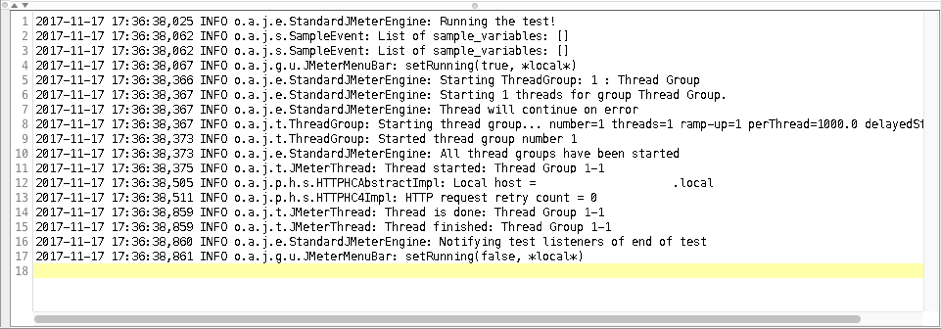
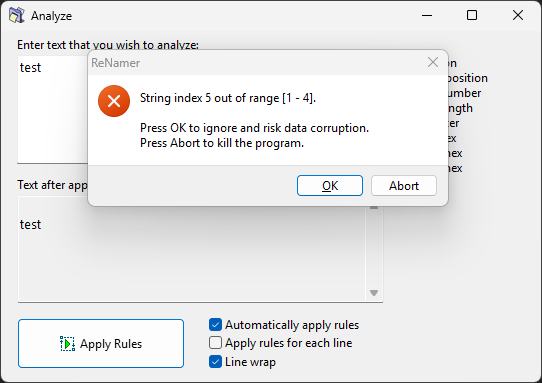
I noticed an issue regarding Analyze dialog where non-printable line feed character is causing exception when found as last character. Steps are:
1. Copy last few characters from JMeter console logs including "space" at the end (but do not copy next line characters)
2. Open Analyze window
3. Paste copied text

Exception is shown like on image below.
I tried to paste problematic character in Notepad but produces the same output like here and other web character analyzers --> "normal" line feed:
testCR 13(0x0d)LF 10(0x0a)
It might be possible that copied value is interpreted as CR 13(0x0d) part instead of CR 13(0x0d)LF 10(0x0a), where ReNamer cannot process it.
In order to copy the line feed, Jmeter can be downloaded from here (Binaries - zip file).
Reproduced on Windows 10, ReNamer 7.9.
Offline
#2 2026-04-06 14:00
- den4b
- Administrator

- From: den4b.com
- Registered: 2006-04-06
- Posts: 3,569
Re: Analyze dialog - line ending with only a carriage return
Hi Никола,
Thank you for reporting this issue.
Indeed, an improper line ending with only a carriage return (#13) produces an error in the Analyze dialog.
It is somewhat of a Windows quirk which creates an invisible character from a trailing carriage return, instead of treating it as a line ending. This ends up feeding an invalid position to ReNamer.
A simple sanity check on the position will fix this.
Offline
#3 2026-04-18 22:41
- den4b
- Administrator
- From: den4b.com
- Registered: 2006-04-06
- Posts: 3,569
Re: Analyze dialog - line ending with only a carriage return
This issue has been resolved in v7.9.0.1 Beta.
Offline
#4 2026-04-18 22:52
- eR@SeR
- Senior Member
- Registered: 2008-01-23
- Posts: 364
Re: Analyze dialog - line ending with only a carriage return
This issue has been resolved in v7.9.0.1 Beta.
Confirmed. Carriage return (#13) remains at line ending without exception. Thank you.
Offline