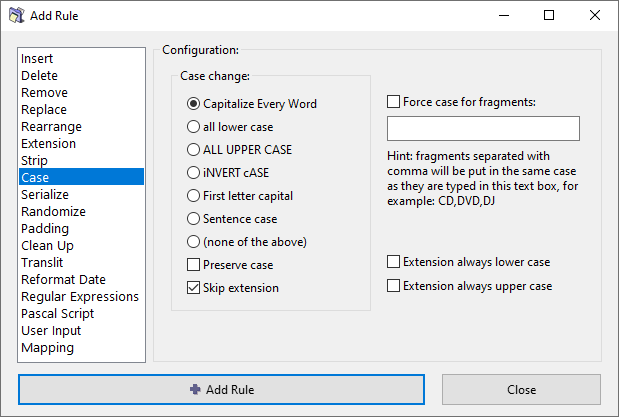
Case rule
TODO: Complete, review, update links.
This rule changes the case of the filename, including capitalizing every word, converting to lower/upper case, inverting the case, and enforcing a specific case for certain words, e.g. CD, DVD, SMS, PhD.
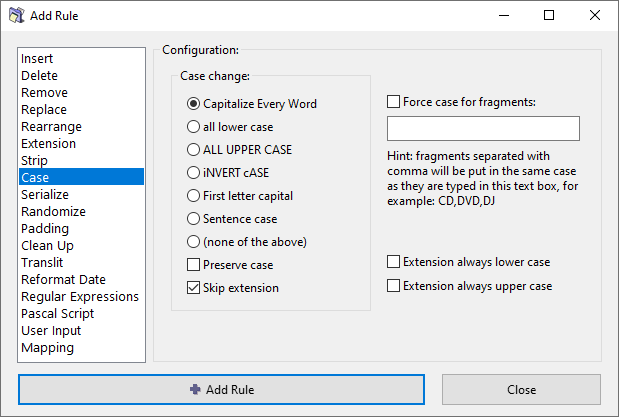
Case change options
Select one of the available text case transformations:
Capitalize Every Word – Convert all letters to lower case (general normalization), and then convert the first letter of each word to upper case.
all lower case – Convert all letters to lower case.
ALL UPPER CASE – Convert all letters to upper case.
iNVERT cASE – Invert the case of all letters, convert lower case to upper case, and vice versa.
First letter capital – Convert only the first letter to upper case, and the rest to lower case (general normalization).
Sentence case – Convert the first letter of every sentence to upper case, and the rest to lower case (general normalization).
(none of the above) – Do not apply any of these general transformations.
Preserve case
Preserve the original case where applicable by not performing the general normalization. See transformation options above.
Skip extension
If checked, the file extension will be excluded from processing and will remain unaffected.
Force case for fragments
...
Extension options
...