
Extension rule
TODO: Complete, review, update links.
This rule lets you change the file extension, with the option to automatically detect the appropriate extension based on the file's content.
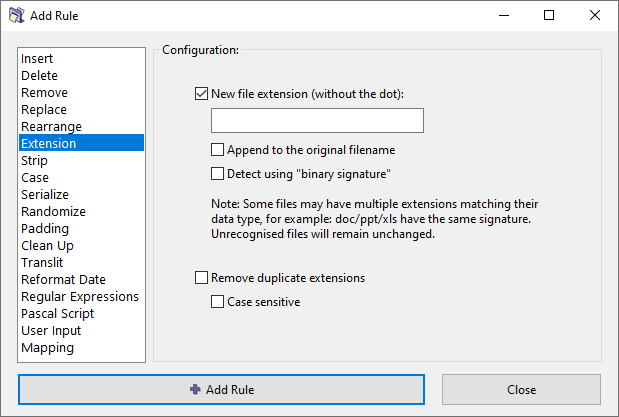
Options
New file extension
Specify the new file extension, without a leading dot. For example: txt, mp3, jpg.
Append to the original filename
Rather than changing the original file extension, appened the new extension to the end of the filename.
Detect using binary signature
Attempt to detect the appropriate file extension based on the file's content, using the so called binary signatures (see the section below).
Remove duplicate extensions
If a file has consecutive duplicate extensions, remove the duplication. For example: file.jpg.jpg becomes file.jpg.
Case sensitive
When removing duplicate extensions, extensions must match exactly to be considered duplicates. For example: .jpg.jpg will be corrected, but .jpg.JPG will not.
Binary signatures
...
Filename starts with a dot
...