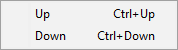
Files context menu
TODO: Complete, review, update links.
Right-click on the Files table content area to see the context menu that offers numerous options for manage files.
Menu
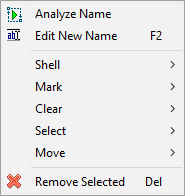
F2
Del
Remove selected items from the Shell menu
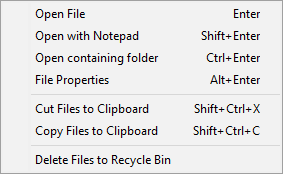
Enter
Open the selected file using its default associated application.
Open with Notepad
Shift+Enter
Open the selected file with Notepad to see the raw file content. Avoid using this option with binary files as the content will not make any sense, and you may risk accidentally corrupting the file. Open containing folder
Ctrl+Enter
Launch File Explorer and open the folder where the selected file is located.
File Properties
Alt+Enter
Display the File Properties dialog offered by the operating system.
Cut Files to Clipboard
Ctrl+Shift+X
Place the source file paths to clipboard as a "cut" operation. If you paste these files in File Explorer, all files will be moved to one folder, no matter where they were initially located. Copy Files to Clipboard
Ctrl+Shift+C
Place the source file paths to clipboard as a "copy" operation. If you paste these files in File Explorer, all files will be copied to one folder, no matter where they were initially located. Delete Files to Recycle Bin Delete the source files to the Recycle Bin. The files will also be removed from the table.
Mark menu
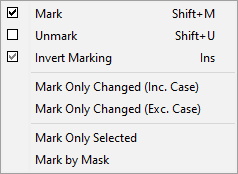
Shift+M
Unmark
Shift+U
Invert Marking
Ins
Mark Only Changed (Inc. Case)
Mark Only Changed (Exc. Case)
Mark Only Selected
Mark by Mask
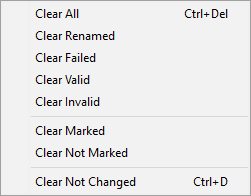
Clear menu
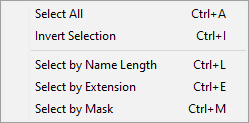
Select menu
Move menu