
Mapping rule
TODO: Complete, review, update links.
This rule allows you to map a list of old filenames to a list of new filenames, which can be externally managed and loaded into the rule via clipboard or CSV file. It also allows you to capture the current set of files and their generated new names as a rule set, and then applied to a different set of files via this rule.
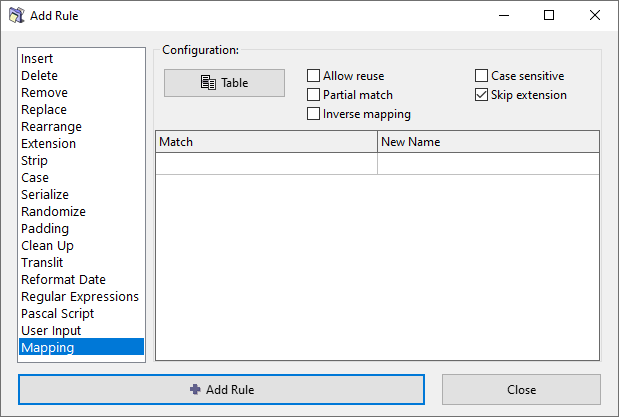
Options
Table menu
...
Allow reuse
Normally, once a mapping has been applied to a file, that mapping is removed from the list of available mappings, so the remaining files in the same iteration of the preview process will not be allowed to reuse the same mapping. In other words, the mappings have an strict one-to-one application.
If this option is enabled, all mappings can be reused multiple times, for all matching files. In other words, the mappings have a relaxed one-to-many application.
Partial match
Use a mapping if the match is found against a part of a filename.
If this option disabled, the whole filename must match for the mapping to be applied.
Inverse mapping
Simply swap the Match and New Name entires in the table, inversing the mappings.
Case sensitive
Match case exactly. When enabled, "Apple" will not match "apple". When disabled, uppercase and lowercase letters are treated as equivalent.
Skip extension
If checked, the file extension will be excluded from processing and will remain unaffected.