
Options menu
TODO: Complete, update links.
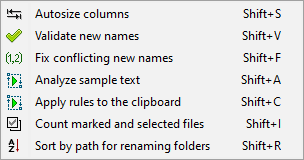
Autosize columns
Auto-size all columns, to accommodate the longest entry in each column.
Validate new names
The validation process is designed to prevent common renaming problems by analyzing the list of files and target destinations. A warning message is displayed when potential problems are discovered. Users should generally eliminate all warnings prior to renaming, otherwise items may fail to rename.
Fix conflicting new names
Add incremental numbers as suffixes to avoid conflicts in names. For example, if a new name for a file is Name1, and if such a file already exists in the target folder, then a suffix (2) is added to the new name. If more than one files have such name conflicts, further incremental numbers ((3), (4) and so on) will be added as suffixes to make sure that each file gets a unique name.
Analyze sample text
...
Apply rules to the clipboard
...
Count marked and selected files
...
Sort by path for renaming folders
...