Fitting methods
ToFitting methods dictate how the image will be populated.resized to the target dimensions.
The table below describes each method.
#
Fitting method
Description
1
Stretch
The original image is scaled vertically and horizontally to match exactly the target dimensions. Original aspect ratio is not maintained, so the image will get distorted.
2
Width
The width of the image is scaled to match exactly the target width. The height is then scaled accordingly to maintain the original aspect ratio.
3
Height
The height of the image is scaled to match exactly the target height. The width is then scaled accordingly to maintain the original aspect ratio.
4
Inside
Scale the image proportionally until it fits inside of the target dimensions box. Also known as "long side fit".
5
Outside
Scale the image proportionally until the target dimensions box fits inside of the image. Also known as "short side fit".
6
Inside and Pad
Same as Inside fitting method, but the unoccupied space in the target dimensions box is kept as padding.
7
Outside and Crop
Same as Outside fitting method, but the parts of image which do not overlap with target dimensions box are cropped.
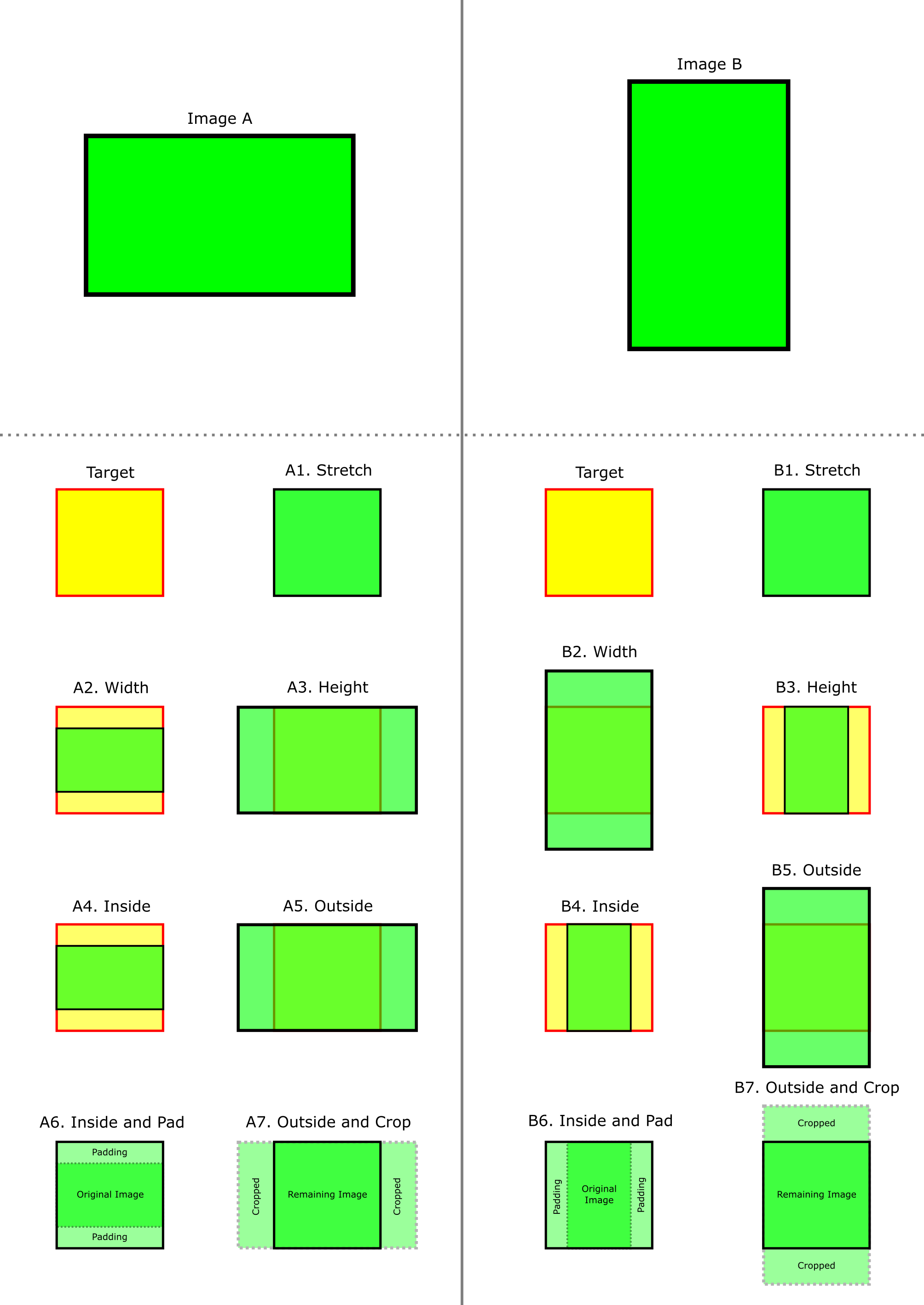
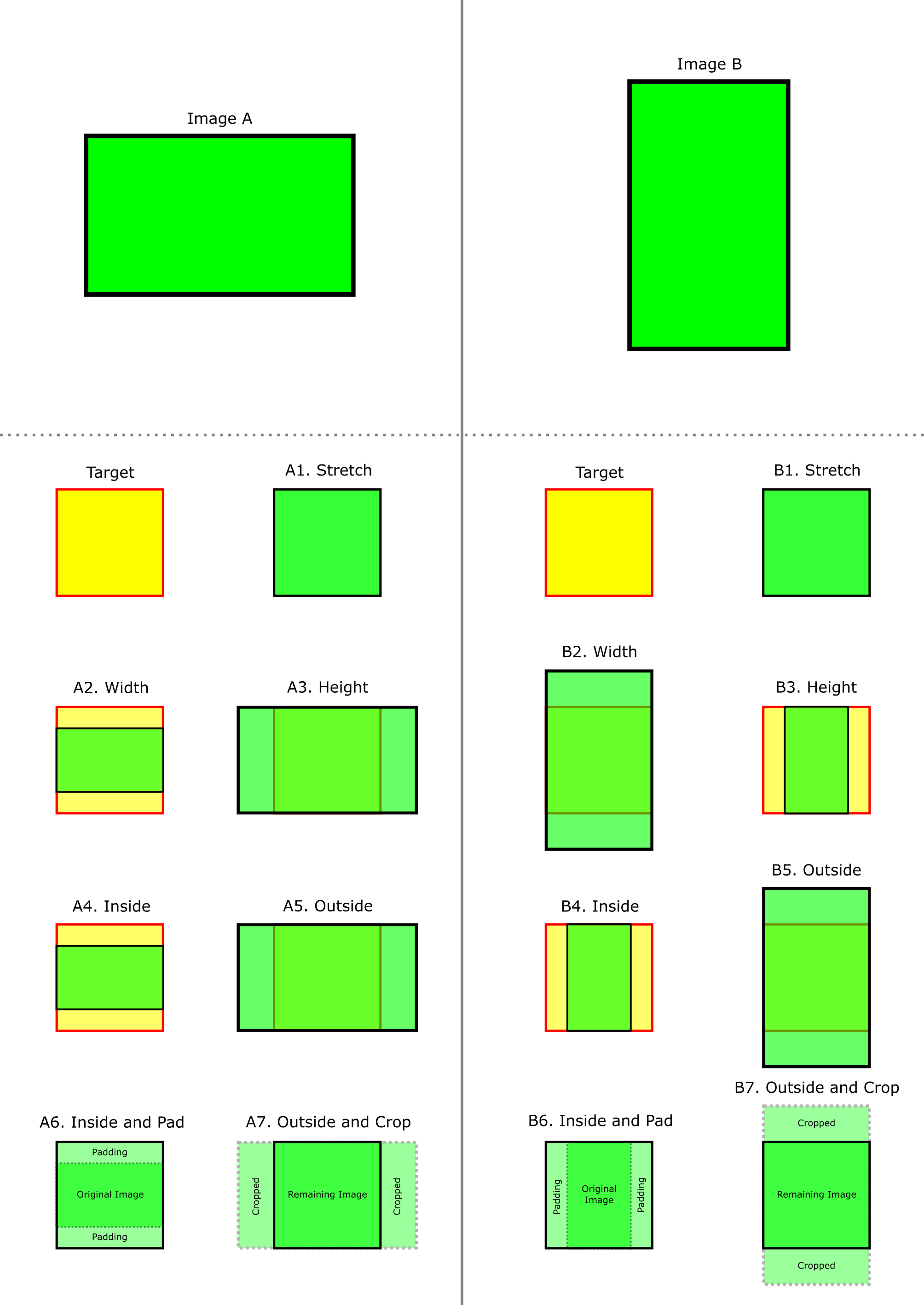
A demonstration below attempts to visually describe the operation (logic) of each fitting methods.
Image A has aspect ratio greater than that of the target dimensions box.
Image B has aspect ratio lesser than that of the target dimensions box.
Target dimensions box is represented by a square for simplicity, while height and width can actually differ in practice.