
Delete rule
TODO:This Complete,rule review,deletes updateall links.
located between the From and the Until positions.
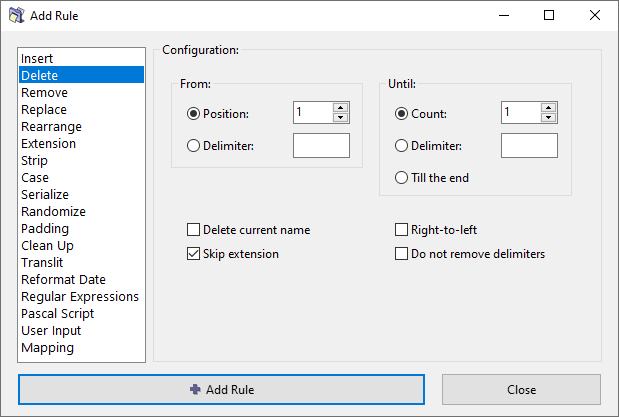
Parameters
From
From which character-position you want to start the deletion.
Select from the following options:
Until
Until which character-position you want to delete.
Select from the following options:
Delete current name
A shortcut option for deleting the whole current name.
Skip extension
If checked, the file extension will be excluded from processing and will remain unaffected.
Right-to-left
Inverts the normal direction for counting a position, so that the count goes from right and towards left.
When this option is selected, the "till the end" option in Until deletes all characters on the left, what we normally regard as the beginning of the name.
For example, to keep only the four characters on the right side of the name and delete everything else, use:
Do not remove delimiters
If you select this option, the delimiters themselves will be retained. Otherwise, delimeters will be removed together with the deletion range.