
Insert rule
This rule inserts the specified text at the beginning of the name, at the end of the name, at a specified position, or before or after certain text.
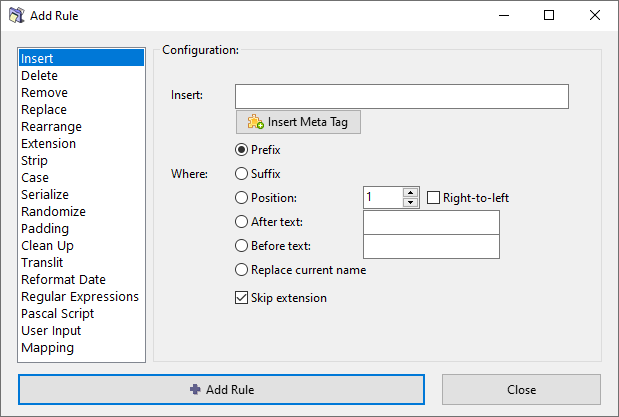
Main parameters
Insert
Enter the subject text that will be inserted.
Insert meta tag
Where
Where to insert the subject text. Select one of the Where options described in the section below.
Skip extension
If checked, the file extension will be excluded from processing and will remain unaffected.
Where options
Prefix
Adds the subject text at the beginning of the existing name.
Suffix
Adds the subject text at the end of the existing name.
If the Skip extension option is checked, the subject text will be inserted before the file extension. Otherwise, it will be inserted after the file extension.
Position
Insert the subject text at the specified position.
- The position index starts from 1.
- Account for spaces and special characters when counting the position.
- You can count in the right-to-left direction if the corresponding option is enabled.
- You can use the Analyze tool to check the position by pointing to the character with mouse or keyboard instead of counting it by eye. You can also select sample files from the table, right-click to open the context menu and choose the Analyze name option.
After text
Insert the main subject text after an occurance of text entered in the "after text" field.
If the "after text" is not found in the name, the main subject text will not be inserted.
Before text
Insert the main subject text before an occurance of text entered in the "before text" field.
If the "before text" is not found in the name, the main subject text will not be inserted.
Replace current name
The current name is deleted and replaced by the subject text.