
Rearrange rule
TODO: Complete, review, update links.
This rule allows you to chop up the existing file name and reuse any/all of the parts in any order to compose a new name.
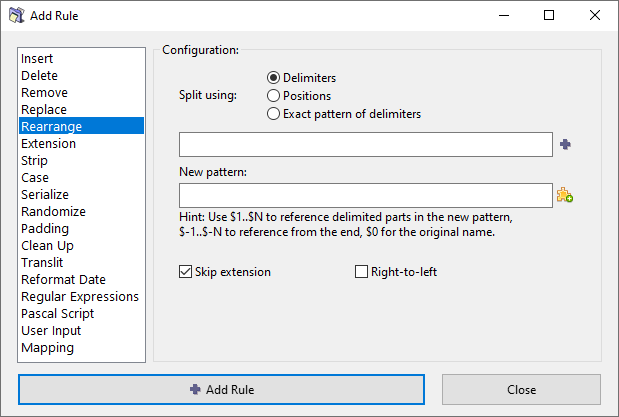
Options
Split using
Specify how to split the existing name into parts, using either a set of delimeters, an exact pattern of delimiters, or exact positions.
Enter a list of delimiters/positions, separating them with | (vertical pipe) character. Alternateivly, click the  button to add another delimiter/position used for splitting.
A more detailed explanation of different split options can be found in the section below.
New pattern
Compose the new name from the parts created from the original name.
All the parts resulting from splitting the original name can be accessed via short codes $1, $2, $3, and so on. You can also reference the parts using indexing from the opposite end via negative short codes $-1, $-2, $-3, and so on. The full original name is accessible via short code $0.
Using a mix of short codes and any other text you can rearrange the name and add additonal text around the rearranged parts.
Click the  button to insert
Skip extension
If checked, the file extension will be excluded from processing and will remain unaffected.
Right-to-left
Inverts the normal direction for splitting the subject text, so that it goes from right and towards left.
Split options
Delimiters
...
Positions
...
Exact pattern of delimiters
...