
Settings
The Settings dialog allows you to configure the behaviour and appearance of Hasher.
It is accessible via File » Settings from the main menu.
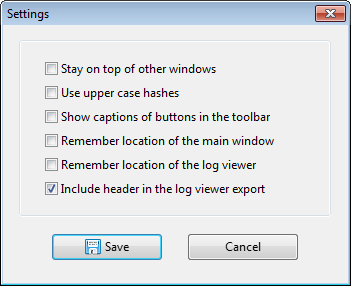
- Stay on top of other windows — Keep the main window above all other windows on the desktop.
- Use upper case hashes — Display and export all hash values in upper case.
- Show captions of buttons in the toolbar — Show text labels beneath the toolbar buttons.
- Remember location of the main window — Restore the main window position on next launch.
- Remember location of the log viewer — Restore the Log Viewer position on next launch.
- Include header in the log viewer export — Include a column header row when copying or exporting log contents.