
User Input rule
This rule replaces the original filenames with the names taken from a fixed list.
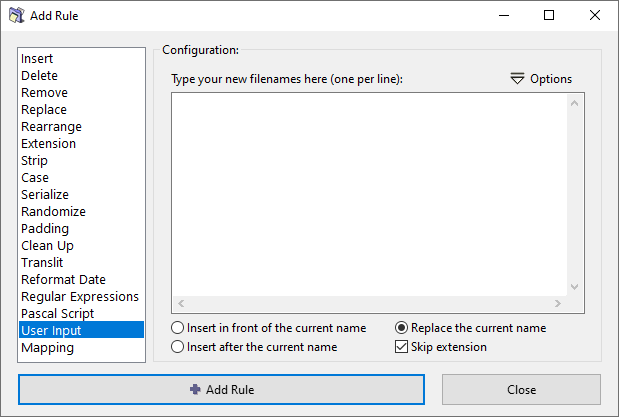
The n-th line in the list serves as the new name for the n-th file in the Files pane.
Naturally, the list should contain names for all the files loaded in the Files pane.
- If the list is shorter, then some of the files will not get a new name and won't get renamed.
- If the list is longer, some of the names will remain unused, but all files in the Files pane will be renamed.
There are three ways to create the list:
- Manually type the list of new names, one name per line.
- Copy the list of names from another application via the clipboard, using either the
CTRL+Vshortcut or the Options menu. - Load a list from a text file, using the Options menu.
See also the Export menu for additional options on export and import of files and their new names.
General options
Insert in front of the current name
Insert the new name in front of the original name.
For example, if the original name is "Dog" and new name is "Hot", the result will be "HotDog".
Insert after the current name
Insert the new name after the the original name.
For example, if the original name is "Dog" and new name is "Hot", the result will be "DogHot".
Replace the current name
Replaces the existing filename with the new name.
The effect on the file extension is determined by the Skip extension option.
Skip extension
If checked, the file extension will be excluded from processing and will remain unaffected.